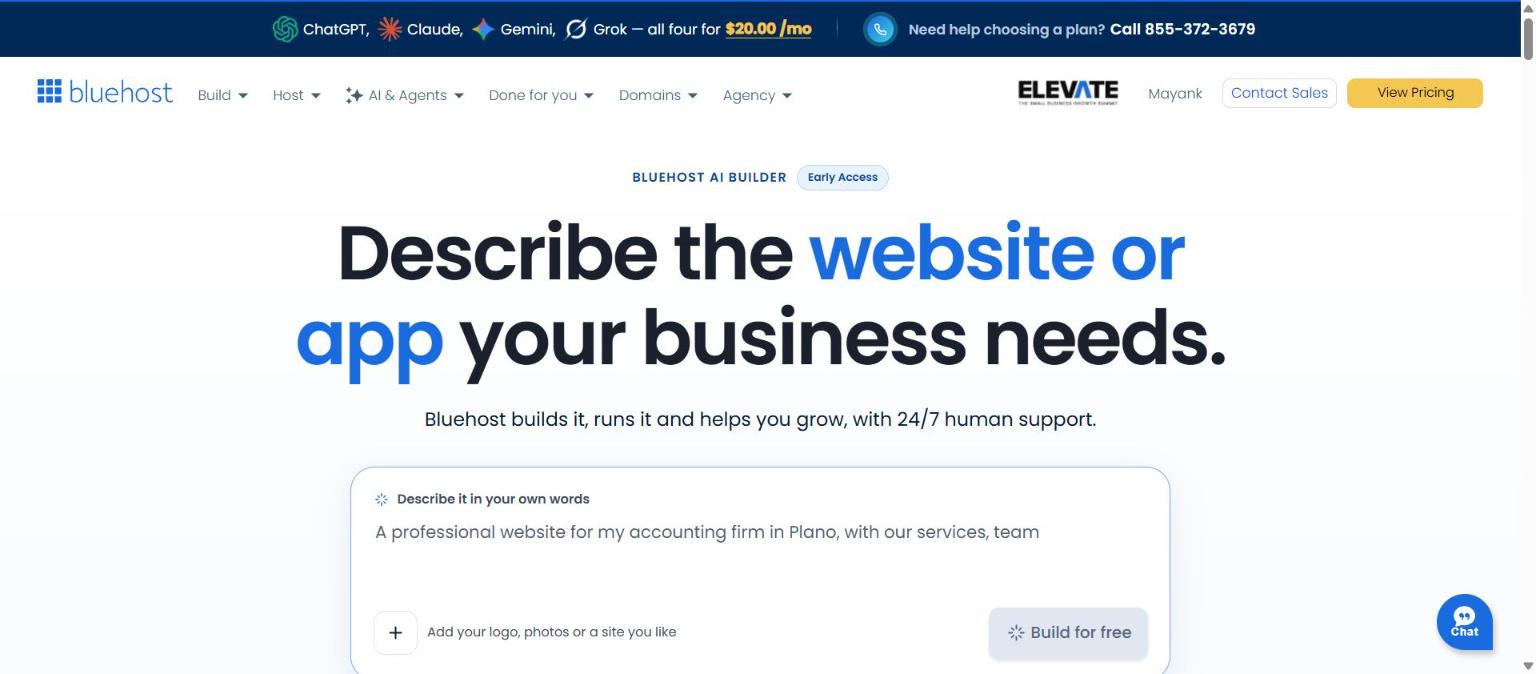
In this Bluehost AI Builder review, I turned one paragraph of instructions into a six-page website with a contact form and booking request, and published it on a free Bluehost subdomain without entering a card. Bluehost AI Builder is a tool that builds a website or web app from a plain-language description. It is $0 to start, no credit card, with paid plans from $20/mo. I tested it on 11 November 2026, while the product still carried an “Early Access” label.
I tested it the way a coach or consultant would: describe a business, refine it by chatting, publish it. Here is exactly what happened, with screenshots of the real interface.
Quick verdict: one detailed prompt gave me a presentable six-page site with a contact form, a booking request and an admin dashboard, live on a free subdomain. Builds and publishing are slow, and the Free plan’s 5 daily credits are tight, so plan your edits.
Describe your site in one sentence, refine it by chatting, and publish it live on the Free plan.
Start free with Bluehost AI Builder$0 to start, no credit card. I earn a commission if you sign up through this link.Table of Contents
What Bluehost AI Builder is
Bluehost AI Builder turns a plain-language description into a website or web app, then lets you refine the design, copy and images by chatting. Bluehost describes the process in five steps: describe, refine, watch it build, publish and manage. You can add a logo or photos (PNG, JPG or WebP, up to 5 MB each) or point it at a site you like so it matches the look.
Hosting is included on every plan, and Bluehost says it never uses credits. The Free plan lists unlimited websites and apps, forms and data storage, bookings and scheduling, user accounts and roles, an admin panel and 24/7 human support. Bluehost’s example gallery shows business sites, portfolios, landing pages, booking sites and customer portals.
It replaces Bluehost’s previous AI website tool for new customers. If you are reading an older review, the product name and plans have changed.
My test: one prompt, one free account
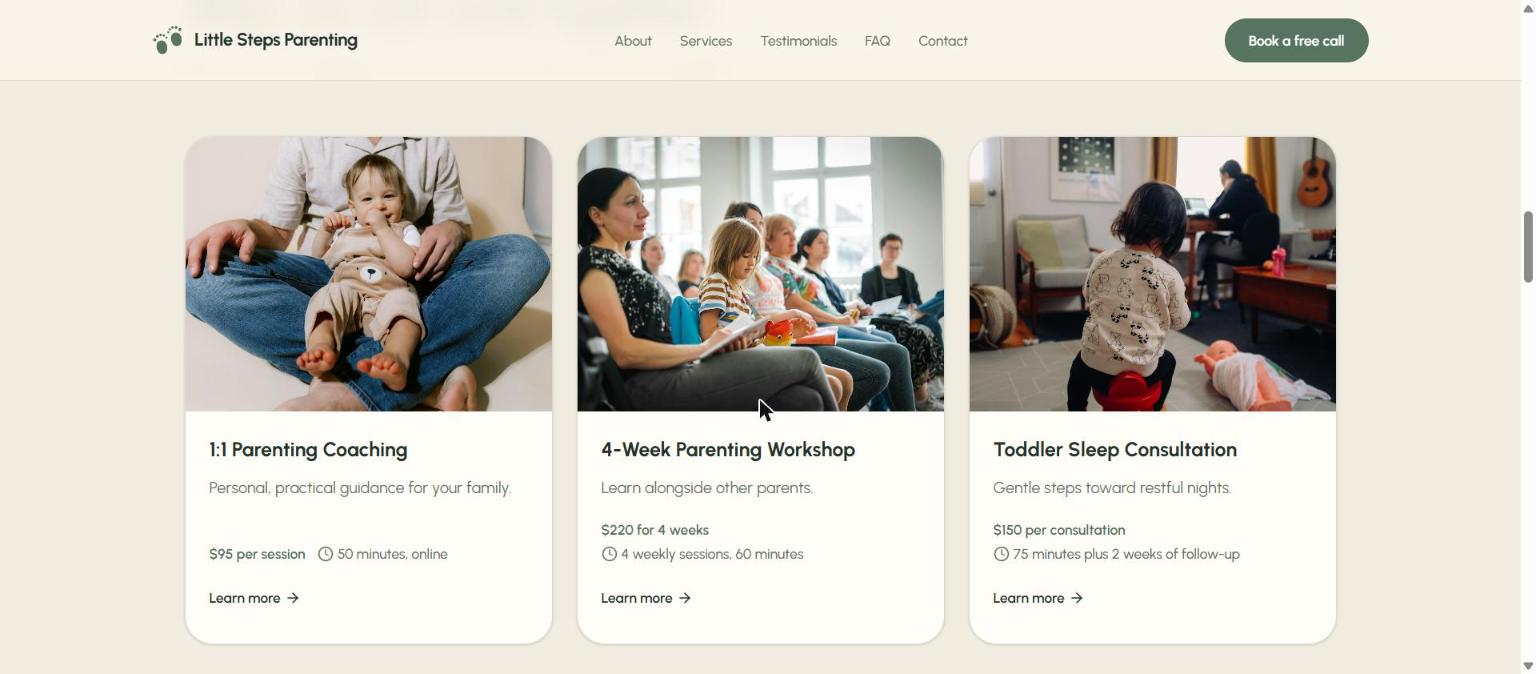
I wanted a realistic client scenario, so I invented a parenting coach called Little Steps Parenting Coaching. The prompt asked for a Home page with a hero and “Book a free call” button, an About page, three services (1:1 coaching, a four-week workshop and a toddler sleep consultation), sample-marked testimonials, an FAQ and a Contact page with a form and booking request. I specified a sage green and cream style, mobile-friendly layout, search-ready titles and alt text, and I stated it was not an online store.
I typed the prompt into the box on the landing page and pressed “Build for free”. Bluehost then asked me to create an account with Google, Apple, GitHub or email. I used a sign-in option, and no card was requested at any point.
What the build looked like
The builder showed stages such as “Reading your prompt” and “Understanding your business”, then a checklist: set up the site’s look, add services and FAQs, build the dashboard, build the pages. From submit to a finished site took about five to six minutes, which is longer than the “Minutes to a first version” line suggests. The progress sat unchanged for stretches, so be patient. Bluehost says it keeps building if you leave the tab.
It did not ask me any clarifying questions. Bluehost says those are free when they appear. The first build cost 1 credit, taking my counter from 5 to 4.
What I got
The result was a six-page site with a contact form, a call booking request and an admin dashboard for managing requests. The AI marked the coach’s name, prices and testimonials as sample content on its own, which I appreciated. It also warned that emails from the form only send once you connect email.
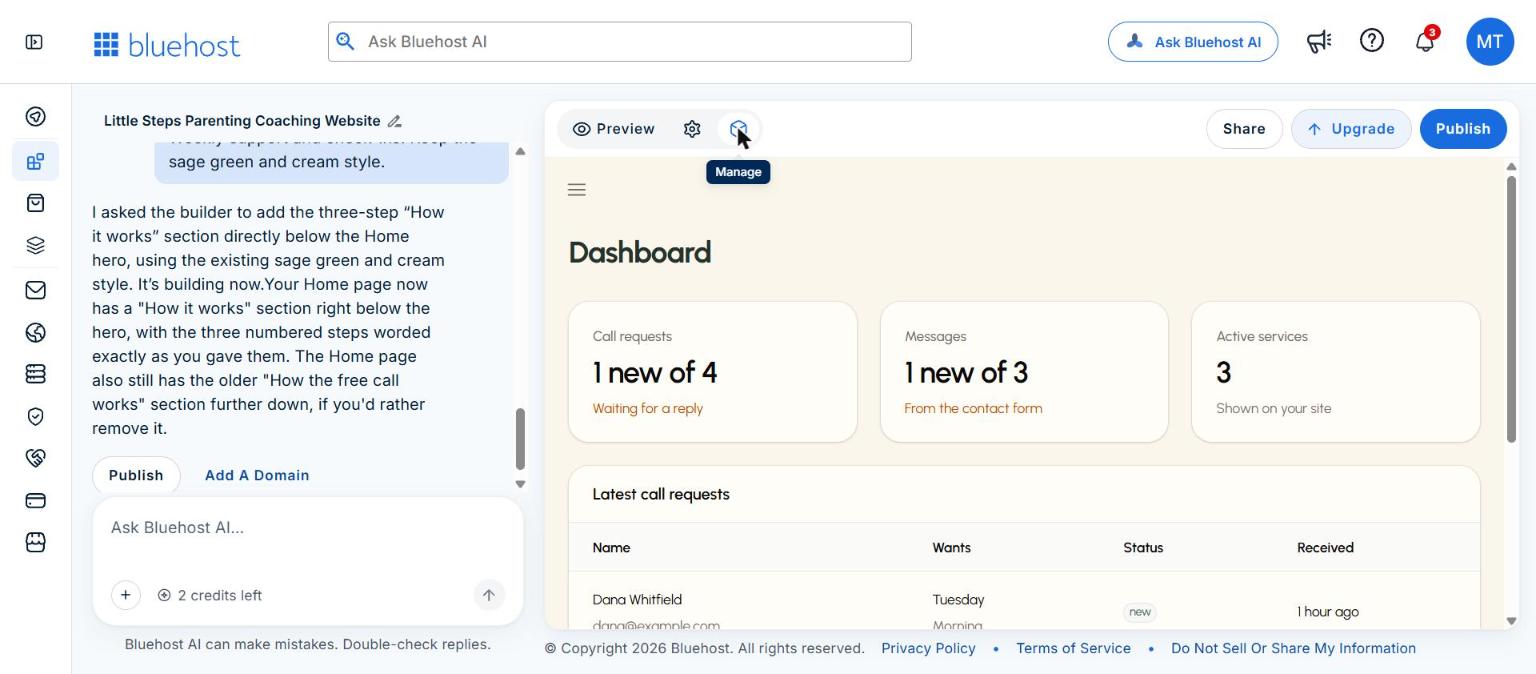
The admin dashboard behind the site
The Manage button opens a dashboard the AI built alongside the website. It showed call requests, messages from the contact form and the active services, so a business owner can see who got in touch without any extra setup. The data below is sample data created by the builder.
The Free plan is enough to build, edit and publish a first site.
Start free with Bluehost AI Builder$0 to start, no credit card. I earn a commission if you sign up through this link.Chat edits: two changes, two credits
Each chat message costs one credit, so I planned two edits and kept the rest in reserve.
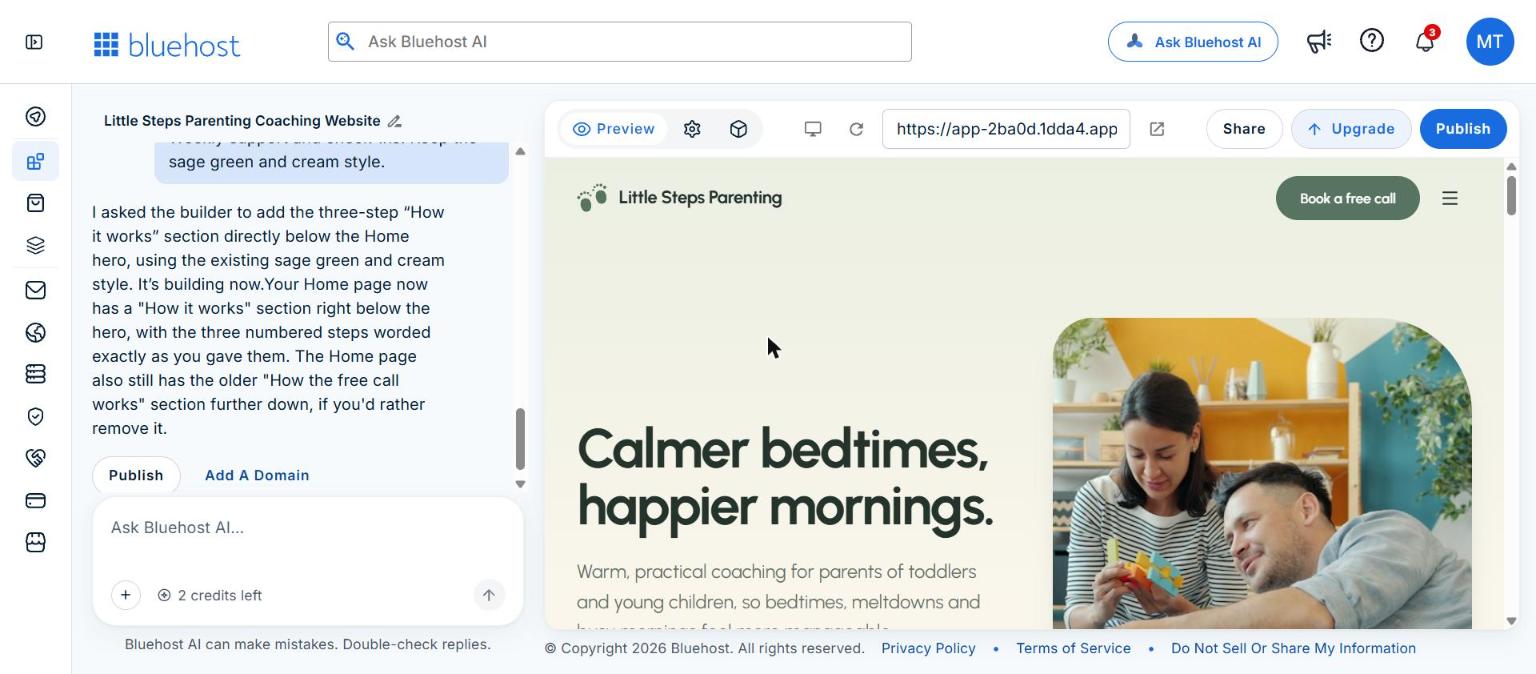
Edit 1: new headline and a bigger button. I asked it to change the hero headline from “Small steps, calmer days.” to “Calmer bedtimes, happier mornings.” and enlarge the “Book a free call” button. It took about 40 seconds. It did both, and it also updated the Home page’s browser title to match without being asked. That is helpful for search-ready titles, though you should know it happens.
Edit 2: a new section. I asked for a “How it works” section directly below the hero with three steps: free intro call, a personalised plan for your family, and weekly support and check-ins. It added three numbered cards in the same sage green style and worded the steps exactly as I wrote them.
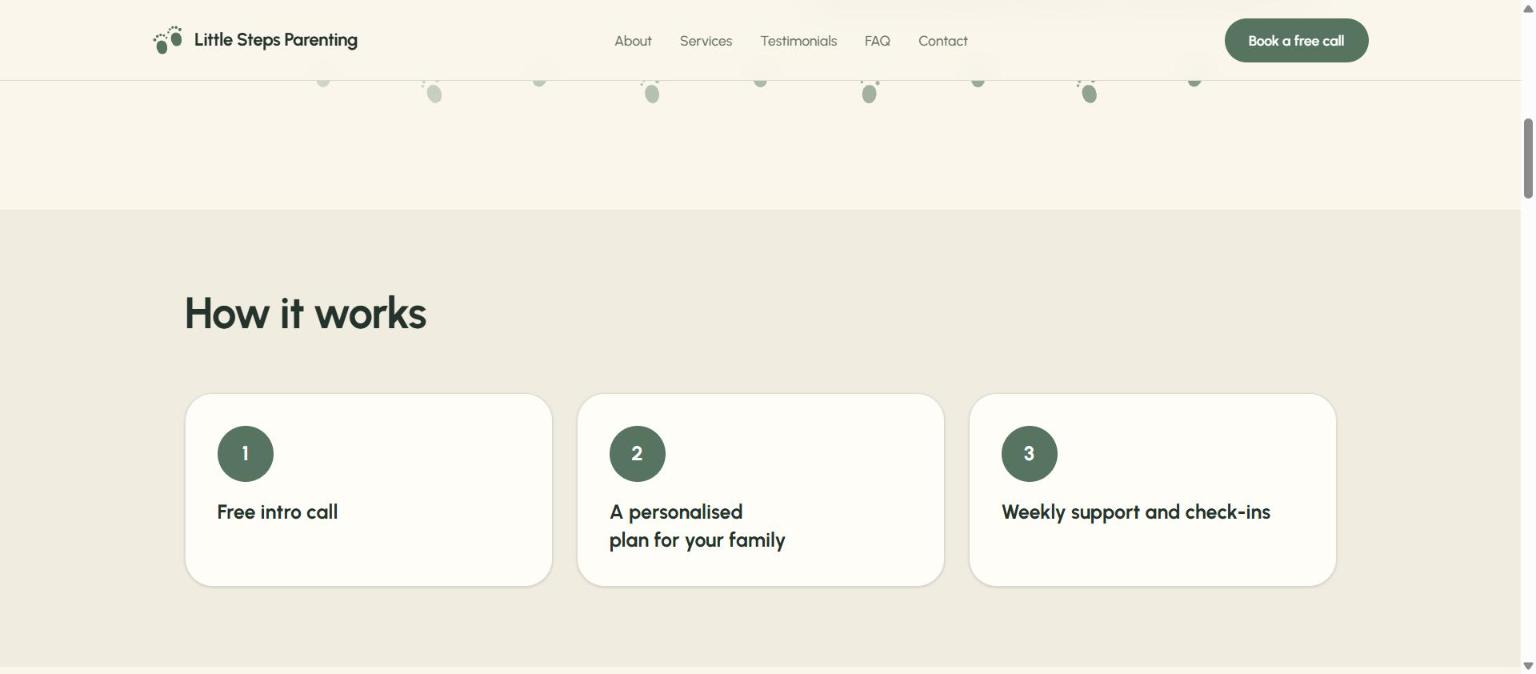
It also told me the Home page still had an older “How the free call works” section further down. That duplicate is a good reminder that the AI adds what you ask for and leaves cleanup to you, and removing it would have cost another credit. After the two edits I had 2 credits left of my 5 for the day.
Desktop and mobile views, and the SEO basics
The editor has a device toggle beside the preview. In my session it switched between a desktop layout and a phone-width layout, and the new section stacked into single-column cards on the phone view. I did not find a separate tablet preview, so I can only vouch for desktop and mobile.
On search basics, Bluehost says page titles, descriptions, headings and alt text are generated automatically. On the live site I confirmed that each page had its own title: the Home page read “Calmer bedtimes, happier mornings | Parenting coaching” and the Contact page read “Contact | Little Steps Parenting Coaching”. I did not audit meta descriptions or image alt text in detail. Bluehost is also clear that rankings depend on content, location and competition, and no builder can guarantee a position, so treat these as sensible defaults and not a ranking strategy. For practical next steps, see my guide to local SEO without building content. For the fundamentals, Google’s SEO starter guide is the best place to start.
The finished pages also included a footer with a sample phone number, an email address on an .example domain, and a line stating that coaching is parent education and support, not therapy or medical advice. I did not ask for that line, and it is a sensible default.
Publishing on the free subdomain
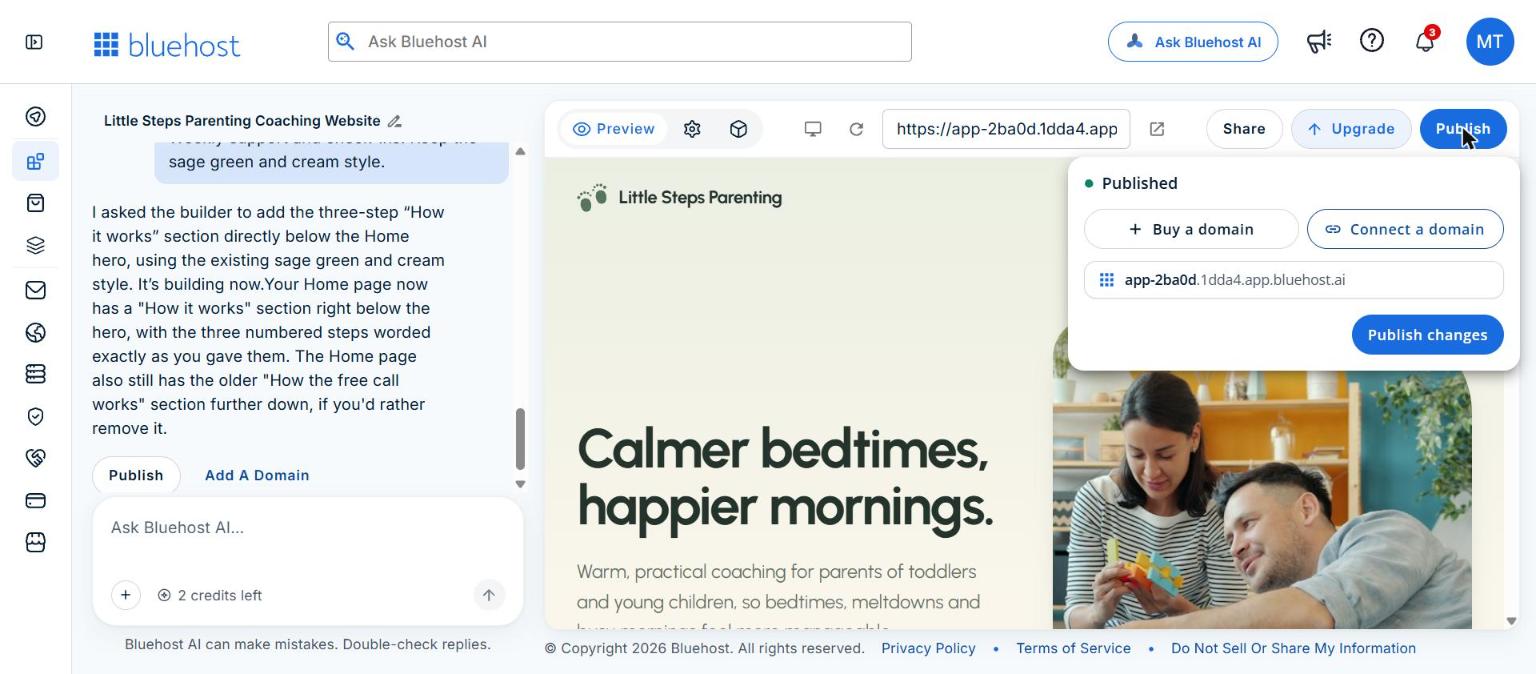
The Publish button opens a panel showing a free address on a Bluehost subdomain (ending in app.bluehost.ai) alongside “Buy a domain” and “Connect a domain” options. On the Free plan the site goes live on the subdomain. Connecting your own domain needs a paid plan, which starts at Lite.
Publishing was the slowest step of my test. The panel still showed “Publishing” after about three minutes, and a visit to the address at that point returned a browser error. When I checked again later the site was live and loading normally, with the correct page titles. If you try this, allow a few minutes and do not assume it has failed. I did not test a custom domain, because that needs a paid plan.
Build your first site on the Free plan and publish it to a free Bluehost subdomain.
Start free with Bluehost AI Builder$0 to start, no credit card. I earn a commission if you sign up through this link.Credits and plans explained
Credits are the thing to understand before you start. One chat message uses one credit, and Bluehost says the AI’s clarifying questions are free. The Free plan gives 5 credits a day, up to 30 a month. Paid plans give a monthly allowance, and plan credits and top-ups expire after 30 days.
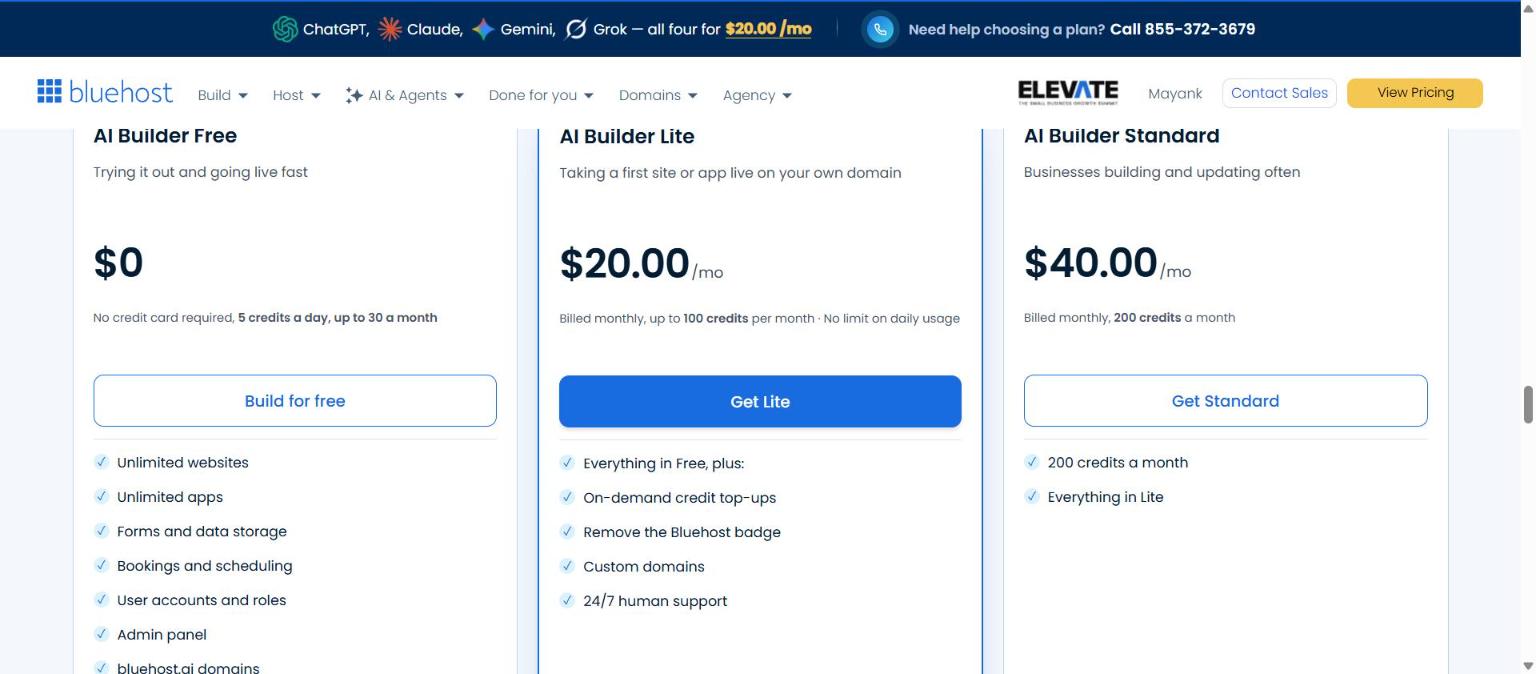
| Plan | Price | Credits | Notable features |
|---|---|---|---|
| AI Builder Free | $0 to start, no credit card | 5 a day, up to 30 a month | Publish on a Bluehost subdomain, 24/7 human support |
| AI Builder Lite | $20/mo | 100 a month | Custom domains, remove the Bluehost badge, credit top-ups |
| AI Builder Standard | $40/mo | 200 a month | Everything in Lite, twice the credits |
Source: Bluehost’s AI Builder pricing section, checked 11 November 2026 (Bluehost AI Builder, I earn a commission). Prices are in USD, and plans are billed monthly.
In practice, my first build plus two edits used 3 of 5 daily credits. That is enough to see the product work, but not enough for a full site with many revisions in one day. Hosting never uses credits, and Bluehost says that if you run out, only new changes pause and the published site stays online. I did not reach zero credits, so that is Bluehost’s statement and not something I tested.
Pros and cons from my test
- One detailed prompt produced a complete six-page site with a form, a booking request and an admin dashboard.
- The design was clean and mobile-friendly, and the colors followed my brief.
- Chat edits took about 40 seconds each and followed instructions closely.
- Sample content was clearly labelled as sample.
- The Free plan lets you publish a real site with no card.
- The first build took five to six minutes, and publishing took several more.
- Credits are tight on Free: 5 a day means you must plan your edits.
- Edits can leave leftovers, such as a duplicate section.
- Form emails need an email connection, which I did not test.
- I found no tablet preview, only desktop and mobile.
- A custom domain needs a paid plan, and the product was labelled “Early Access”.
Start on the Free plan, write one detailed prompt, and plan your edits before you spend your 5 daily credits.
Start free with Bluehost AI Builder$0 to start, no credit card. I earn a commission if you sign up through this link.Who Bluehost AI Builder is for, and who it is not
It suits small business owners, freelancers, consultants, side hustlers and first-time founders who want a presentable site fast, without code. A coach, a local service provider or a portfolio site fits what I saw. If you are still working out the bigger picture, start with how to build your online presence, and if you coach, see why an affiliate system can help a coaching business.
It is less suited to a few cases:
- Online stores. Bluehost AI Builder does not support ecommerce yet. If you want to sell products online, Bluehost points you to Bluehost AI Store instead.
- Native mobile apps. Native apps for the Apple App Store or Google Play are not supported at this time.
- Complex integrations. Anything involving WhatsApp automation, CRM pipelines or custom funnels goes beyond what I tested.
When a builder is not enough: working with an agency
A builder like this gets you a good first site. What it does not do is wire that site into the rest of your business. At Hosting Cultures I build the layer around the website for coaches and consultants: WhatsApp Business API setup and template compliance, lead capture into a CRM, payment and checkout flows, and follow-up automation that runs without you.
A practical split: use a builder for your first landing page or a quick test, then bring in a specialist once leads start arriving and you need them handled properly. Sites in regulated fields, such as financial advisory, also need accessibility and disclosure work that a general-purpose builder is not designed to cover.
Use Bluehost AI Builder for the first version of your site, and add the integrations your business needs as it grows.
Start free with Bluehost AI Builder$0 to start, no credit card. I earn a commission if you sign up through this link.Frequently asked questions
Is Bluehost AI Builder really free?
The Free plan is $0 to start, no credit card. It gives 5 credits a day, up to 30 a month, and publishes on a Bluehost subdomain.
How much does it cost after the free plan?
Paid plans start from $20/mo. Lite is $20/mo with 100 credits a month and custom domain support.
Can I use my own domain?
Yes, on a paid plan. The Free plan publishes on a Bluehost subdomain.
What happens when my credits run out?
Bluehost says only new changes pause until credits refresh or you top up, and the published site stays online. I did not test this.
Can I build an online store with it?
No. Bluehost AI Builder does not support ecommerce yet. For selling products, Bluehost points to Bluehost AI Store.
How long does the first build take?
Mine took about five to six minutes, and each chat edit about 40 seconds. Publishing took several minutes.
Will it help my site rank on Google?
It generates page titles, descriptions, headings and alt text, but rankings depend on your content, location and competition. No builder can guarantee a position.
Bluehost AI Builder review verdict: is it worth it?
Bluehost AI Builder did what it promised in my test: one prompt in, a presentable six-page site out, two quick chat edits, and a live page on a free subdomain with no card. The trade-offs are real but manageable: slow builds and publishing, tight daily credits on the Free plan, and leftovers after some edits.
$0 to start, no credit card, with paid plans from $20/mo.
Start free with Bluehost AI Builder$0 to start, no credit card. I earn a commission if you sign up through this link.Paid partnership with Bluehost. I earn a commission if you sign up through my links.
The demo site in this article is fictional, and its names, prices and testimonials are sample content.